A buyer opens your customer portal with a job to do. They need last month’s invoice, the status of an order, a familiar product reference or a clear answer about what happens next. Give them that answer and the portal earns its place in the working day. Make them hunt through a digital filing cabinet and the next stop is an email to your sales team.
These B2B self service portal examples offer useful starting points for a 2027 project. OSQ Group shows how a distinctive product website and a wholesale customer workspace can share an identity. Pride connects a technical catalogue with published guidance for returning buyers. Schneider Electric documents a specific route from an account’s order area to commercial documents. Each reference gives us a different part of the picture.
We have reviewed the original public visuals and the source material available in October 2026. Some references are historical, and the dates are stated beside the work. The selection is an editorial comparison for planning in 2027, rather than a claim that these projects launched in that year. A portfolio composition, a public catalogue and a supplier’s account tutorial provide different kinds of evidence. That distinction helps you turn inspiration into a useful project brief.
If you are still choosing the foundation for the project, start with our comparison of B2B ecommerce platforms for 2027. Here, the focus is the customer experience that your eventual platform and integrations need to support.
A good B2B portal gives each customer a useful next step
A customer portal brings an existing commercial relationship into a usable workspace. The same company might have a buyer who places orders, a finance colleague who retrieves invoices and a site manager who checks delivery information. Their first useful destination will differ. Before designing a grand dashboard, describe those jobs in the language customers already use.
Take a routine situation. A customer phones because they cannot identify which delivery an invoice covers. Your team can send the file again, but the underlying problem may be the missing connection between the document, order reference and delivery. Putting another download icon on the homepage will do little to explain that relationship. A better starting point is the actual question the customer is trying to answer.
The portal should also make the commercial context visible. Buyers need to know which company they represent, which branch or delivery location is selected and whether the information applies to their account. A beautifully drawn price becomes a problem if its unit is ambiguous. An apparently available item creates disappointment if the stock message means something different from what the customer assumes.
For an initial release, choose a small set of journeys that you can explain and support properly. That might be finding a document, checking an existing order and requesting a quote for a known reference. Another business might place more value on a saved basket or a shared approval process. The number of features on the homepage gives little indication of how much work the portal actually removes.
Keep a named person available when a task needs judgement. A portal can give customers independence while carrying the relationship forward. The question is where the customer needs a precise answer and where they need a conversation. Define that boundary with the people handling today’s enquiries, then check it with customers who encounter those situations regularly.
OSQ Group connects its product story with a wholesale client workspace
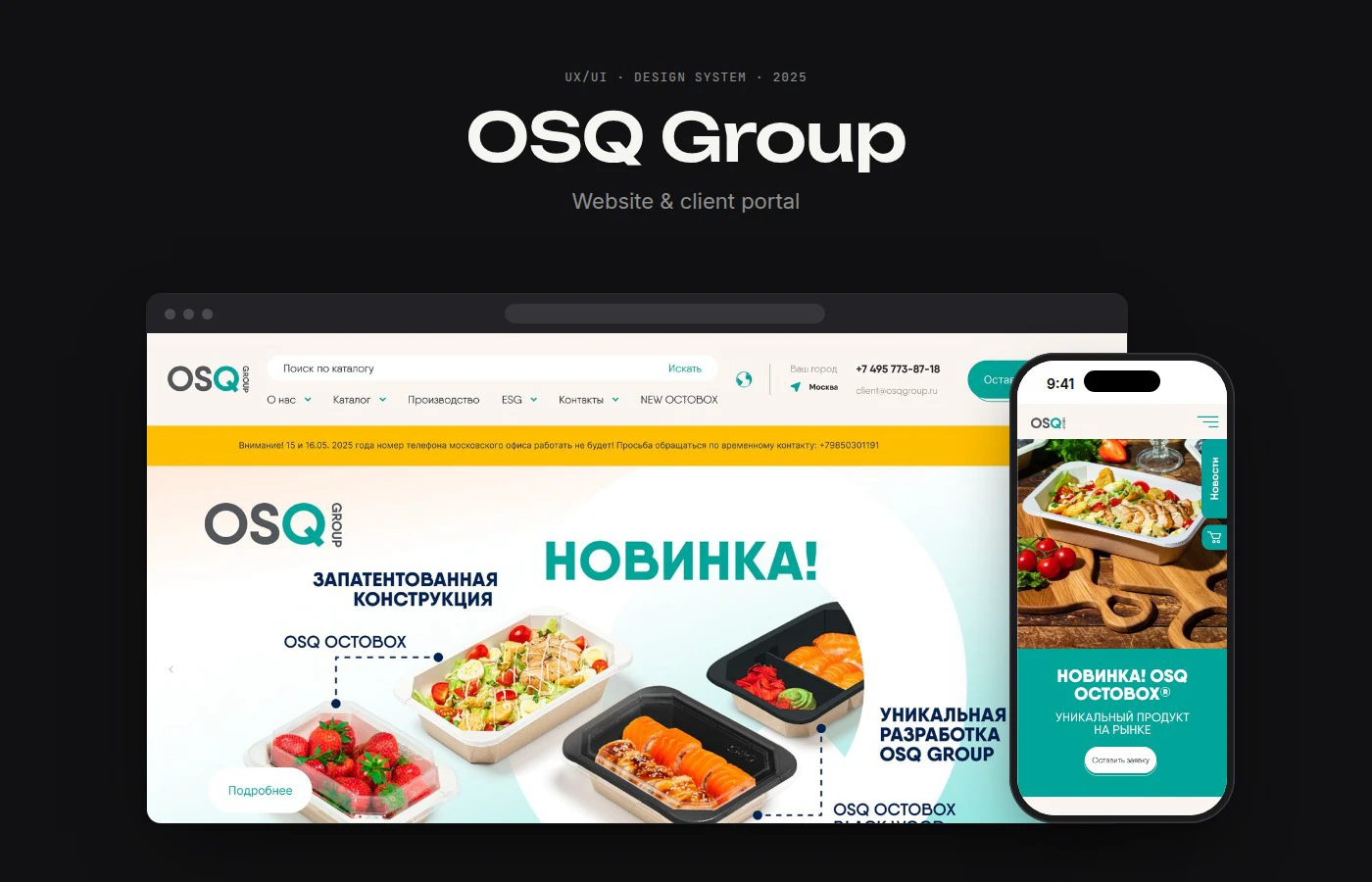
Aleksei Sveshnikov’s OSQ Group presentation brings a food-packaging range and a wholesale customer space into one visual system. The design board is labelled 2025; the Behance publication dates from September 2026. These are original portfolio visuals, with the creator’s scope distinguished from any operational behaviour we have tested.
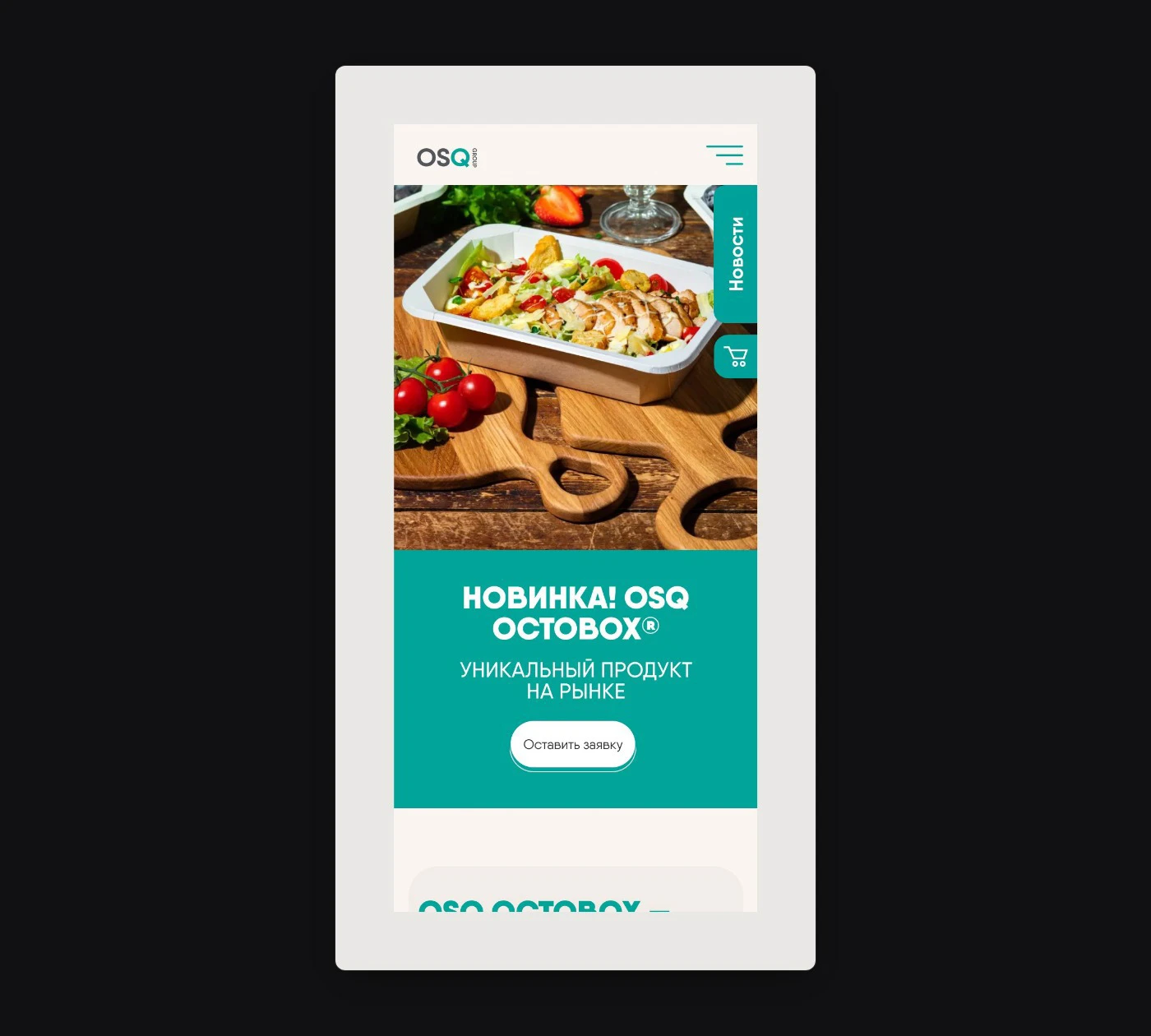
Food photography makes the packaging’s purpose immediately recognisable. The desktop and phone compositions carry the same turquoise identity into their invitations to explore. For a portal brief, decide how a prospective customer will move from that product introduction into an approved commercial relationship.
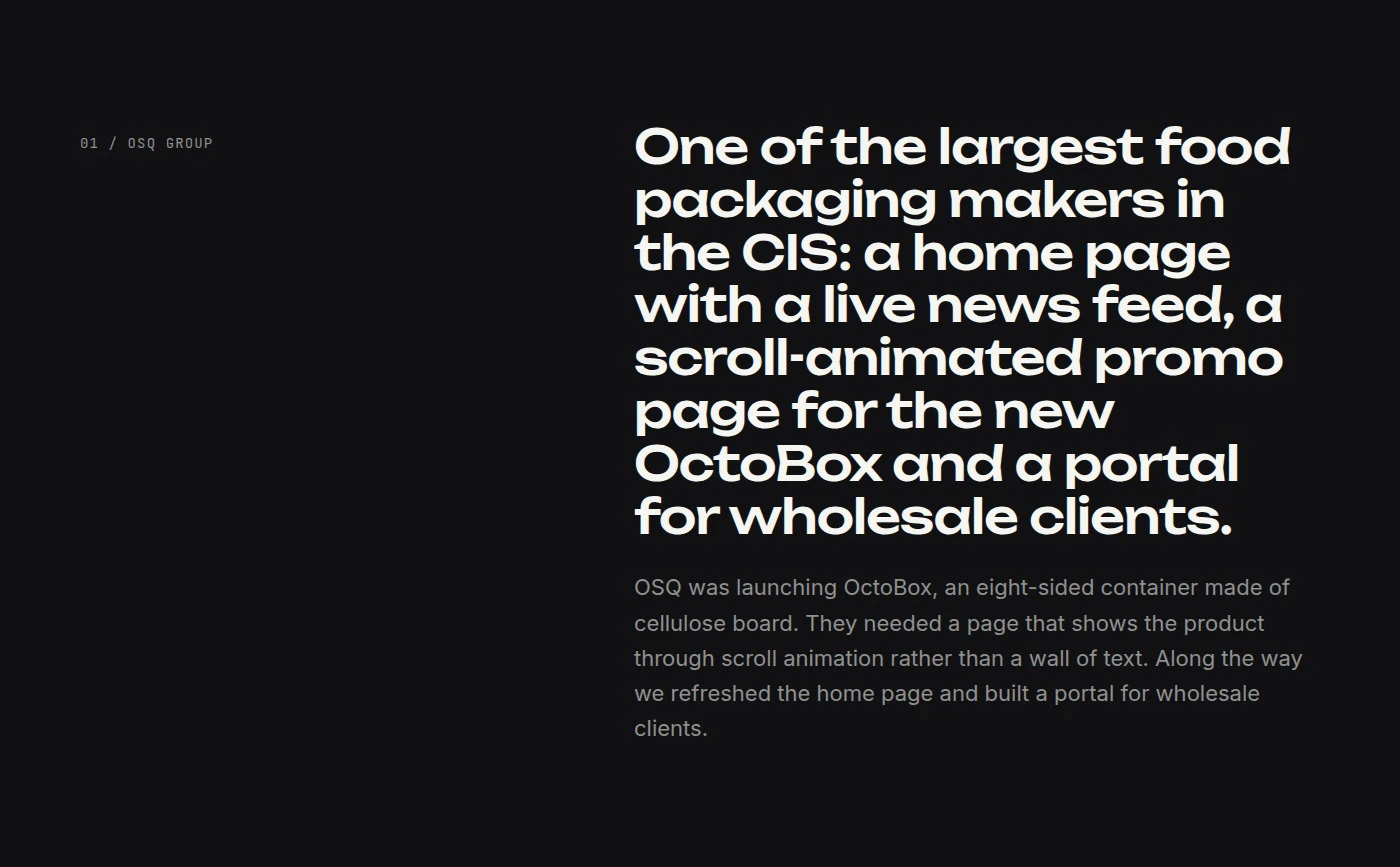
The project introduction connects a product launch with recurring wholesale customers. That is a useful brief question for your own team: what should a visitor discover before becoming a customer, and what should become easier once they return with an established account?
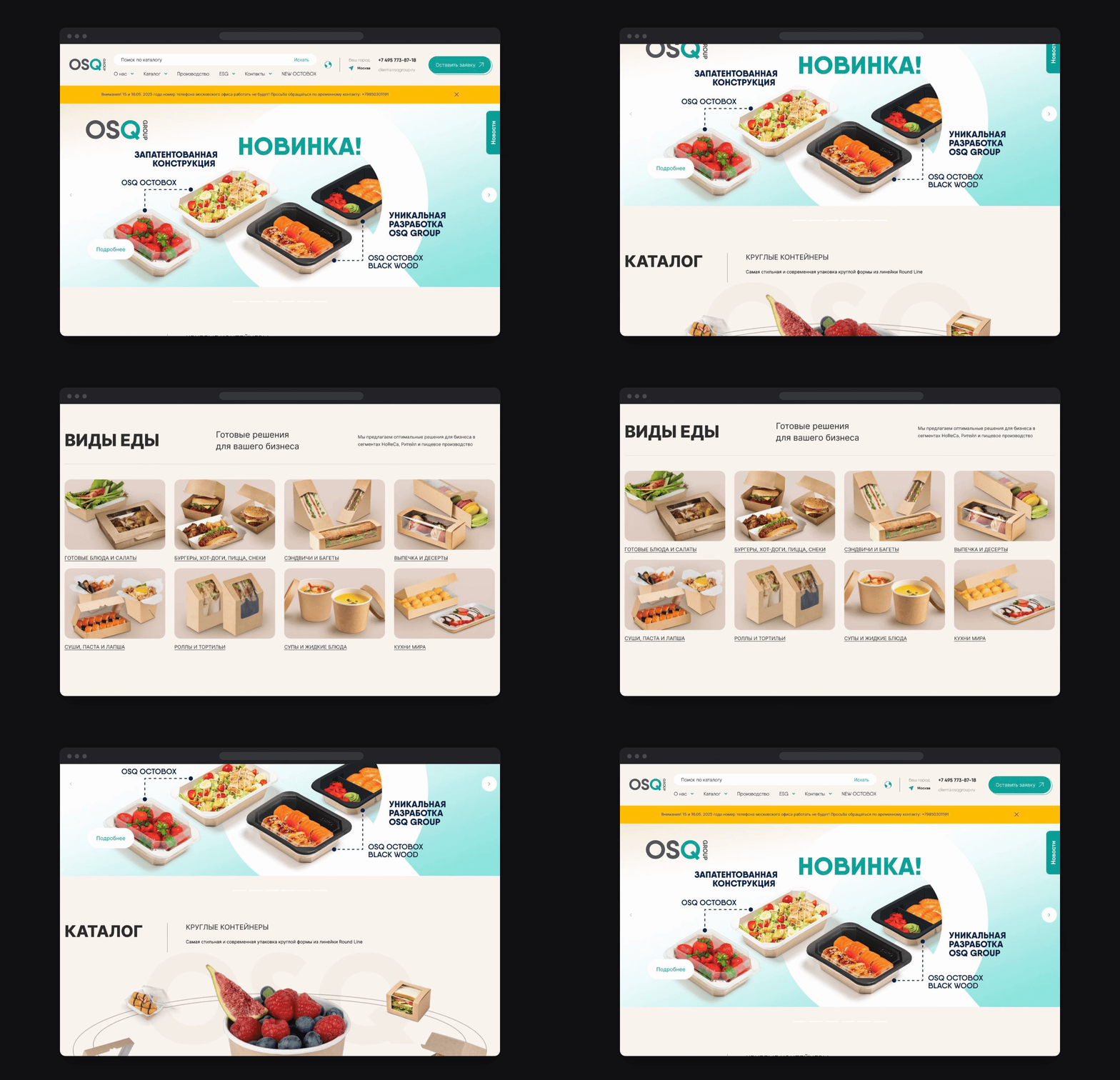
The scrolling presentation moves from a product introduction into a catalogue and food-use categories, then returns. Those recognisable contexts make the range easier to investigate. In your catalogue review, ask a buyer to identify the packaging they need using the words their business actually uses.
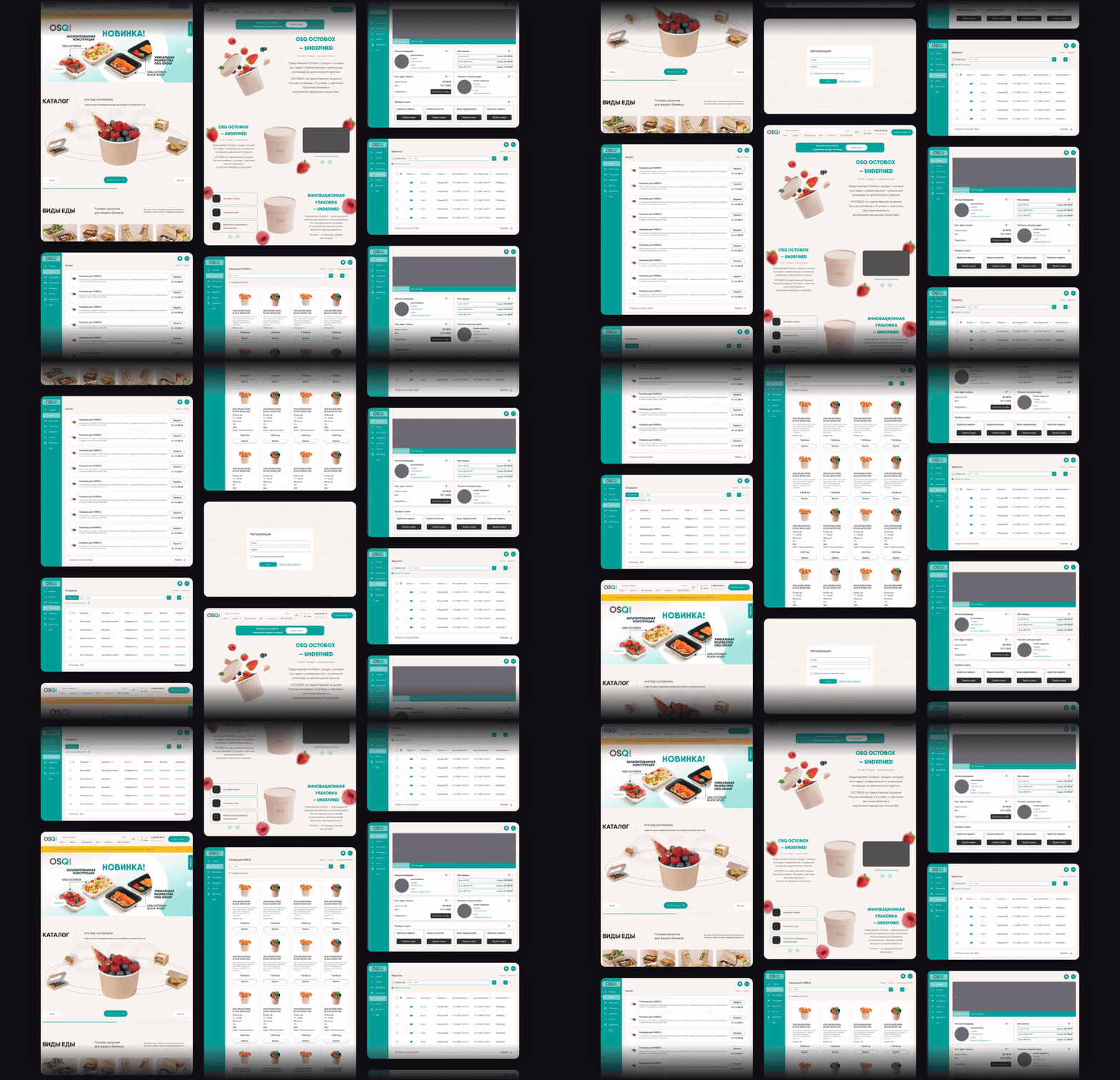
The creator’s scope includes a customer dashboard, catalogue and company-staff access. Turn that into your own demonstration brief: which work should appear first, who is responsible for it and how will the customer recognise the current commercial context? Ask to see those answers in the proposed configuration.

The moving montage keeps a turquoise sidebar, product grid, tables and account widgets in the same family as the public site. It is a useful picture of continuity. For your implementation, follow an actual customer task across those views and check that the information remains consistent.
The phone layout gives the product image, menu and enquiry action distinct places. It supplies a clear public introduction at a narrow width. Add a separate mobile account task to your own project review, such as finding a document or checking an existing request.
The closing board names a route back to the designer behind the work. A portal project also benefits from named ownership after launch. Give catalogue information, account support, design changes and integration exceptions a clear home in the operating plan.
What to take from OSQ Group into your own portal
The useful design lesson here is continuity. A visitor discovers a product range in a confident visual environment, while the proposed customer space retains recognisable parts of that system. In your project, carry that continuity into practical details: navigation names, product identifiers, account selection and the route back to help. Customers should be able to recognise the commercial relationship as they move between public and account views.
Make the public-to-account transition an explicit part of the brief. Consider a prospective wholesale buyer who knows the packaging they want but has never ordered from you. They need to understand whether to enquire, register, wait for account approval or request a sample. The next step should name its purpose and explain the expected response. The promise on the button should match the process your team can deliver.
Then follow a returning customer with a different intention. They may arrive to find an invoice rather than explore a new range. Decide which destinations remain familiar and which information changes once the account is identified. There is room for expressive product presentation, but the customer’s immediate task needs a clear route of its own. A lively identity can coexist with a calm working area.
Use the original moving compositions to discuss hierarchy with your design team, then use a working demonstration to assess behaviour. Choose a sample company, a relevant item and a realistic request. Follow the information through the proposed screens. Note where the design gives an answer and where an integration, business rule or support process must supply it. That second exercise turns a persuasive moodboard into an implementable experience.
Pride gives returning buyers a recognisable route towards ordering
Pride connects a distinctive tools identity with public catalogue and account guidance. Its CloudMill design reference received an Awwwards Honorable Mention in September 2020. The following whole public-site captures were reviewed in October 2026. The supplier’s account guidance supplies documented task examples; we did not access its private ordering system.
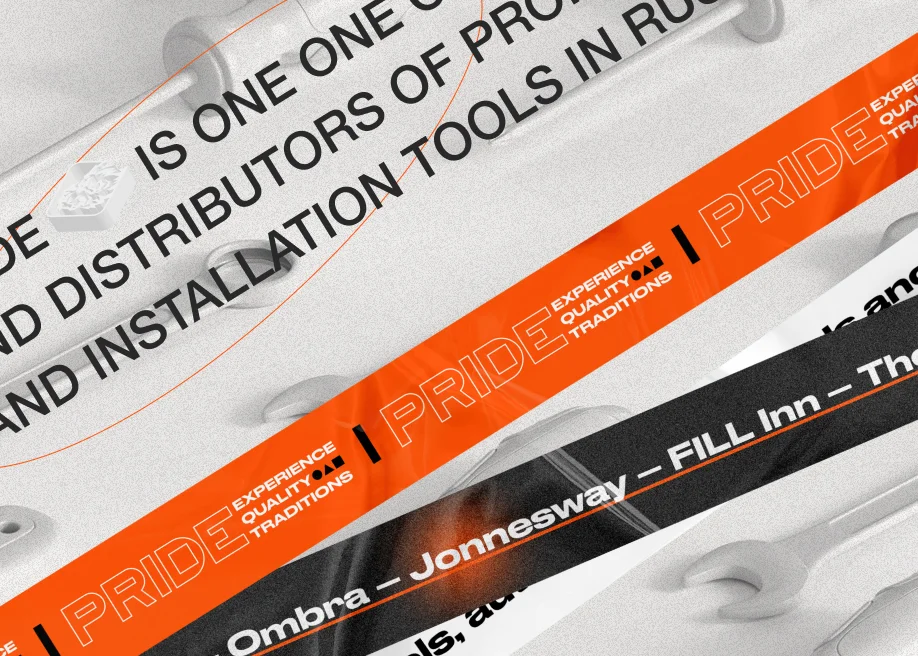
Orange bands, outlined lettering and tool photography give the historical brand composition some proper energy. For returning customers, keep recognisable parts of your identity throughout the catalogue and account entry. A buyer should understand whose commercial relationship they are continuing.
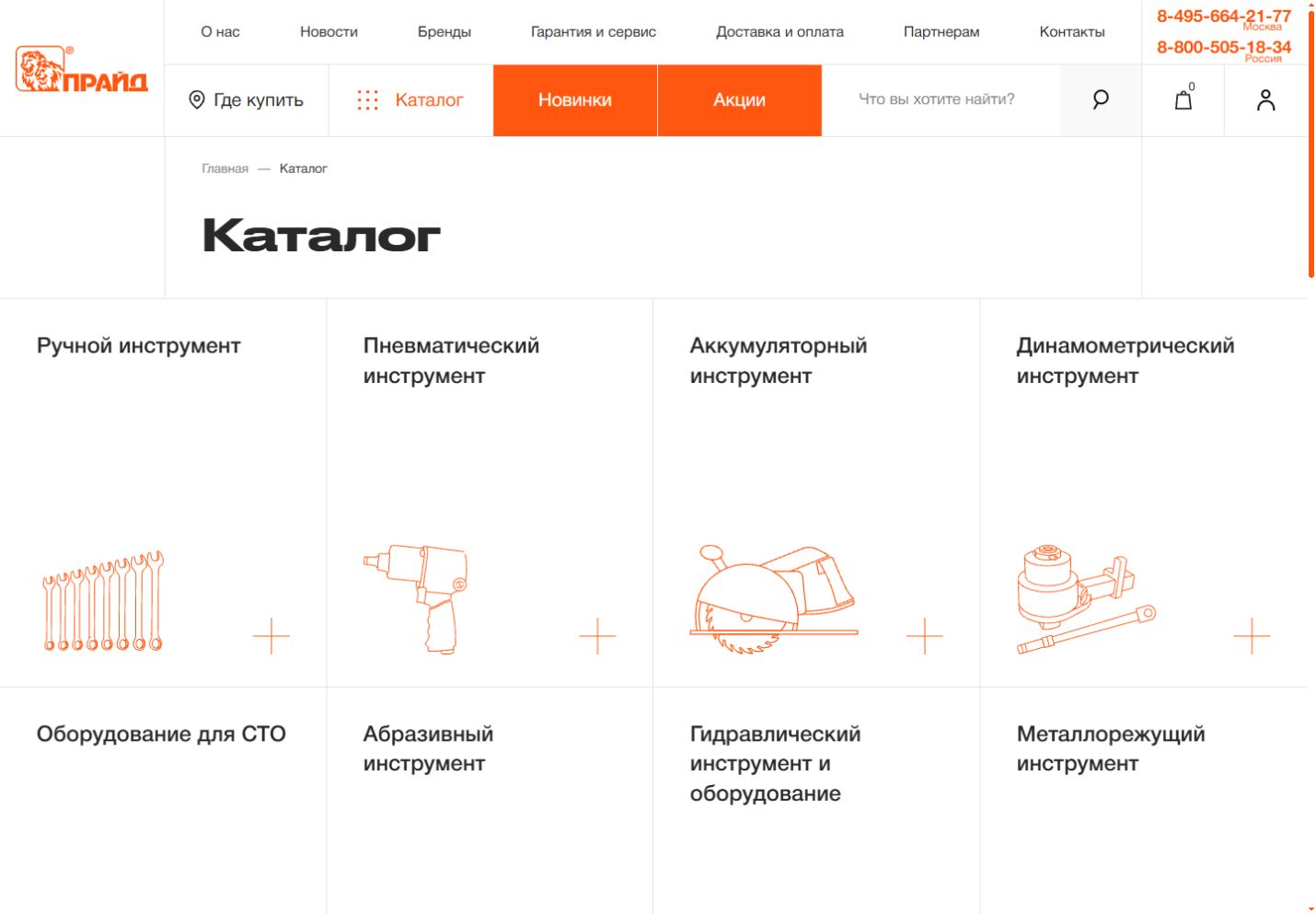
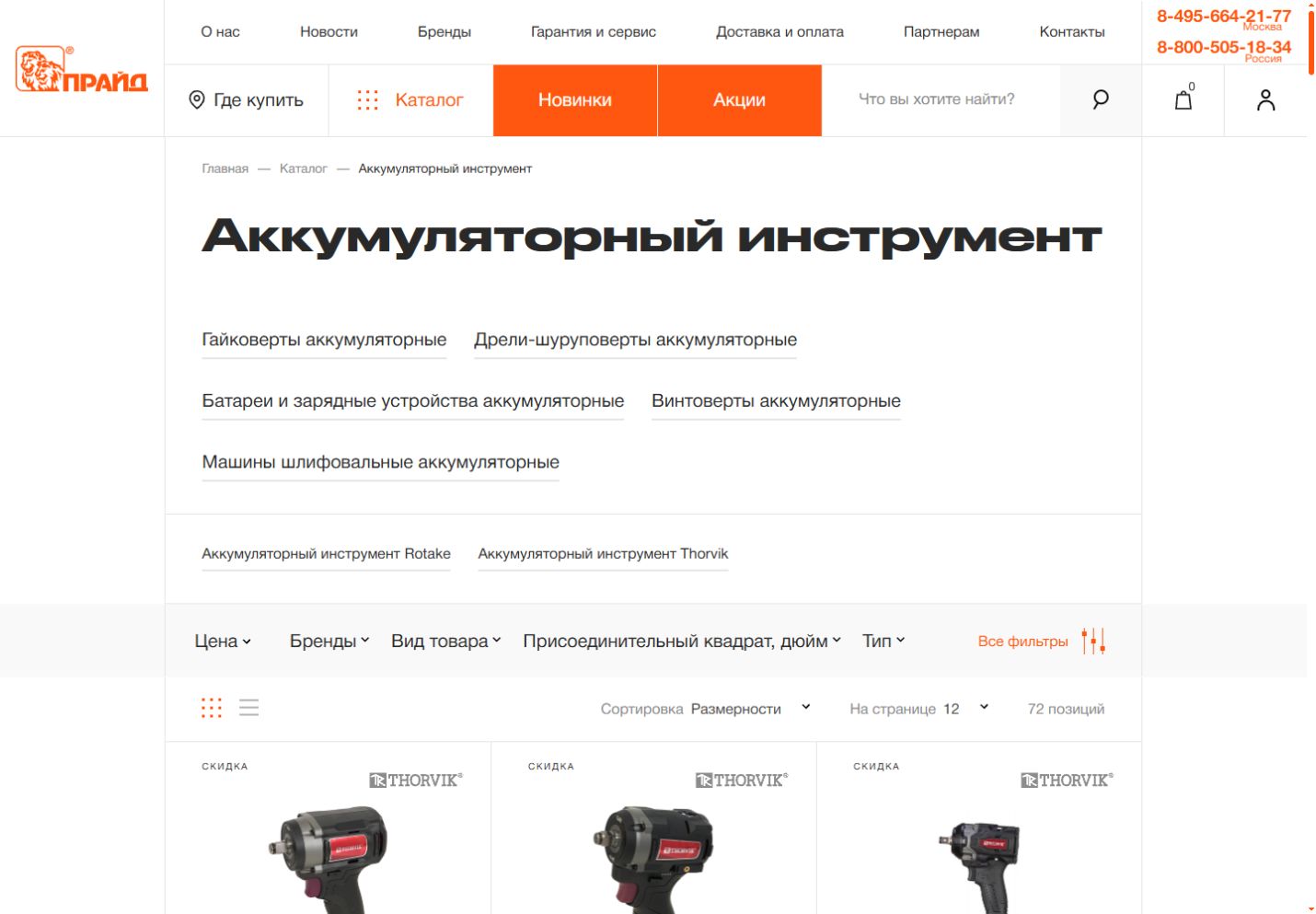
The catalogue directory gives product families a consistent illustrated vocabulary. That can help a repeat buyer orient themselves before choosing a specific item. In your portal brief, ask customers to name their usual categories and compare those words with the destinations you propose.
Subcategories and filters give the category view several ways into a technical range. Give your own review a known reference and one meaningful variation, such as a different pack or specification. Ask the buyer which control helps them confirm the right item.
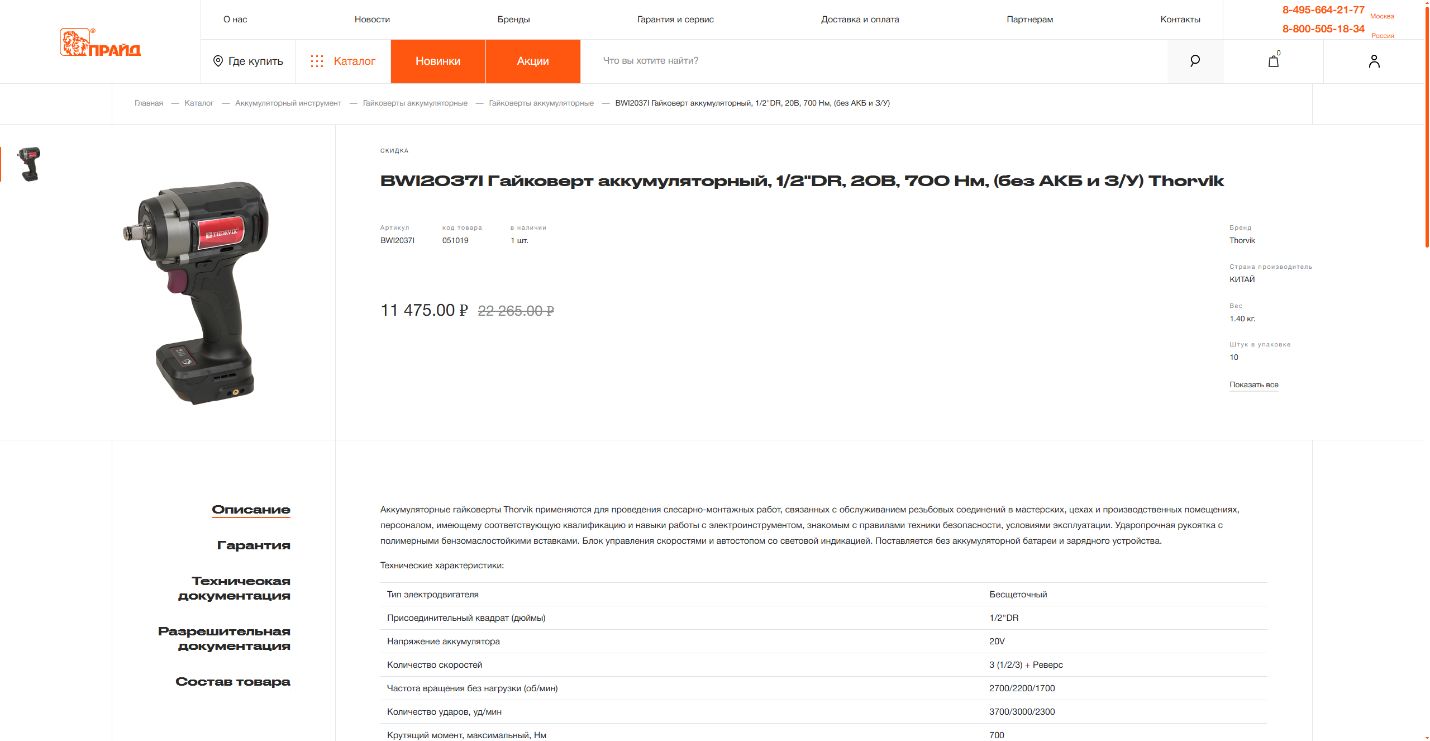
The product view separates references and pack information from the descriptive material. That distinction is helpful when a recurring order starts with a colleague’s note or an old spreadsheet. Ask your proposed portal to keep the selected item identifiable through the next commercial step.
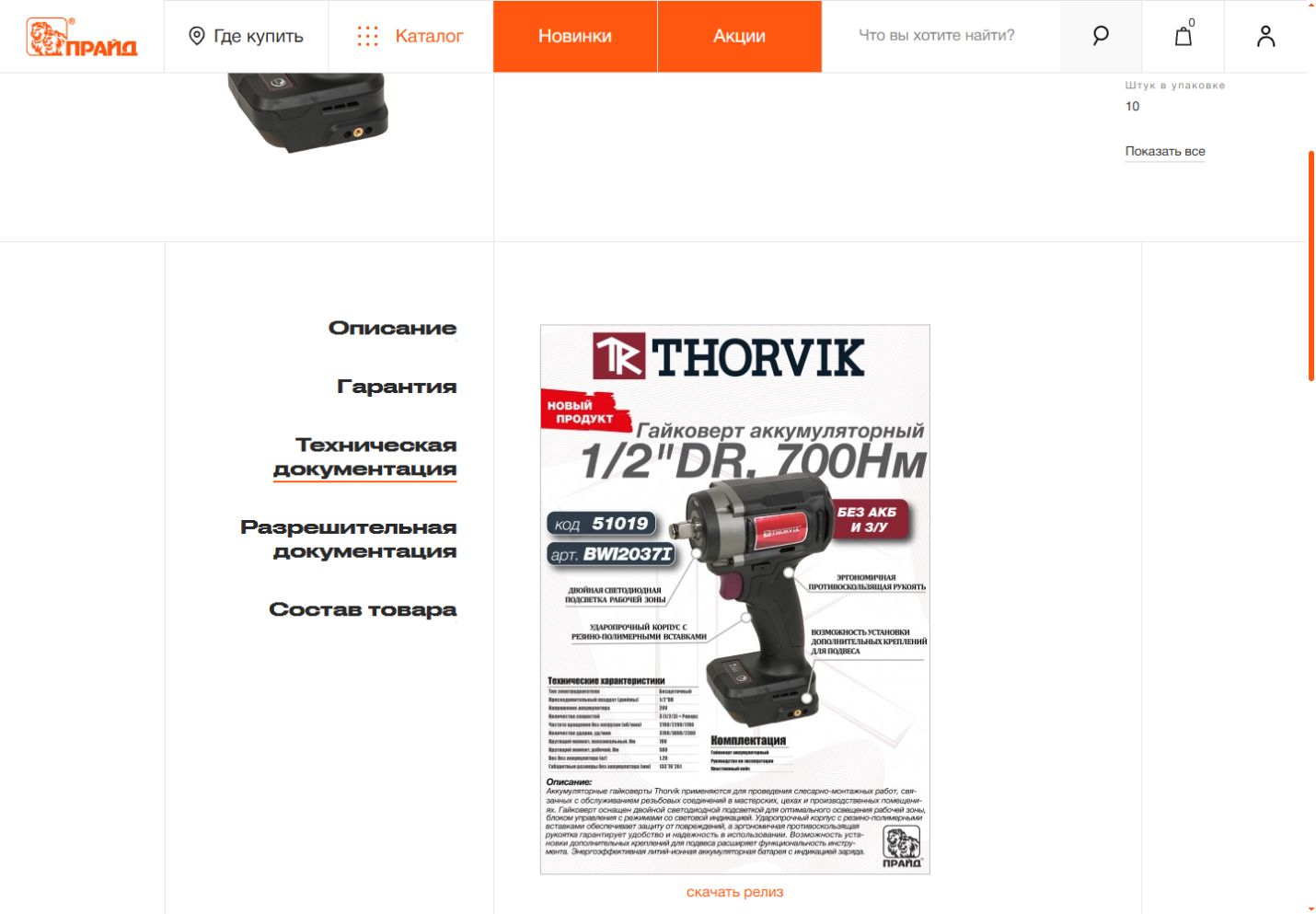
The technical-documentation view keeps downloadable material attached to the product context. For a self-service task, ask a buyer to find the file they would share with a colleague and explain which item it belongs to. Give document maintenance a named owner in your own project.
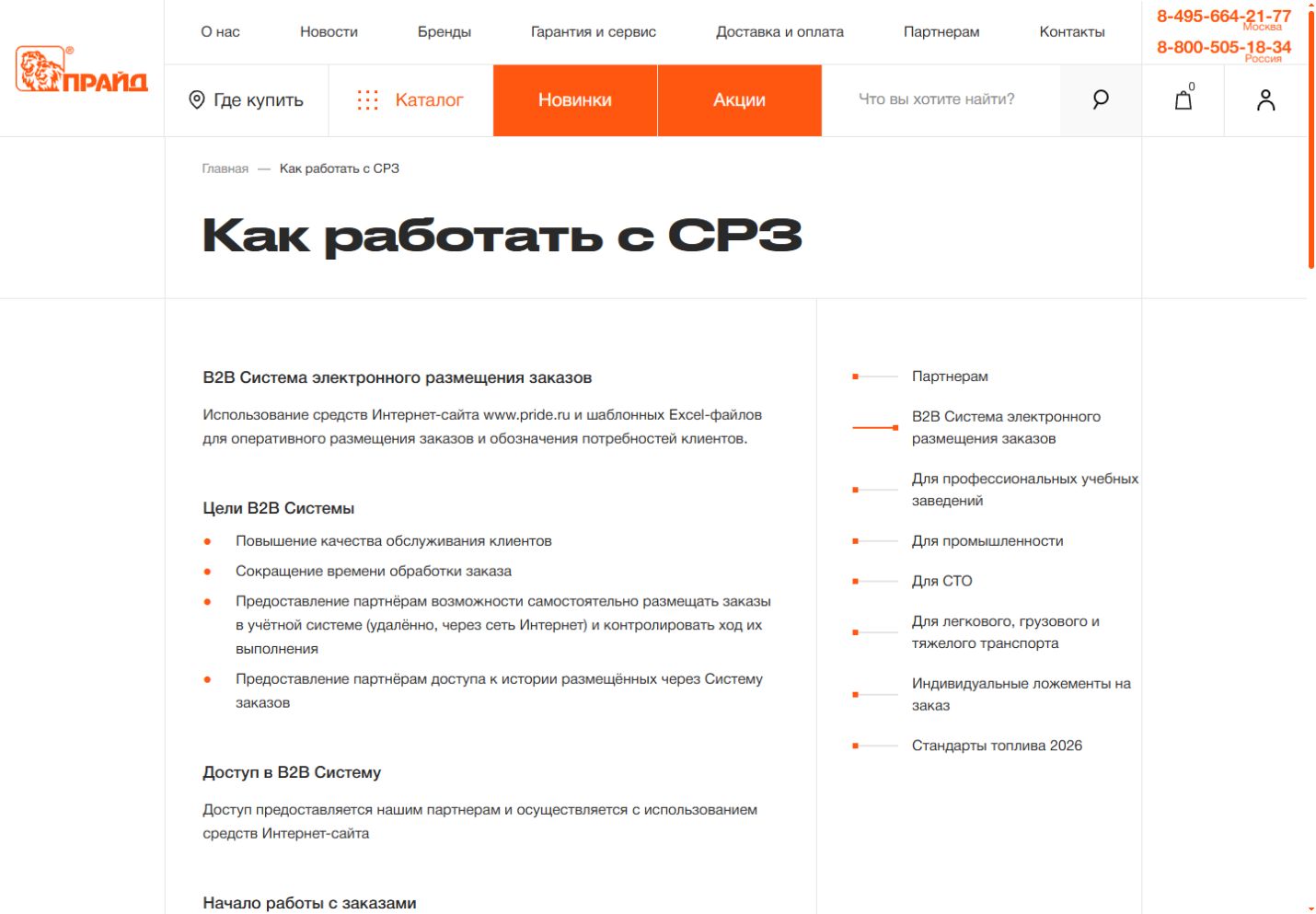
The supplier’s public ordering guide describes spreadsheet ordering, order history and repeating a selection, alongside account commercial information. Its useful lesson is the explanation itself. Give an existing customer a clear page that introduces the tasks your account space will help them complete.
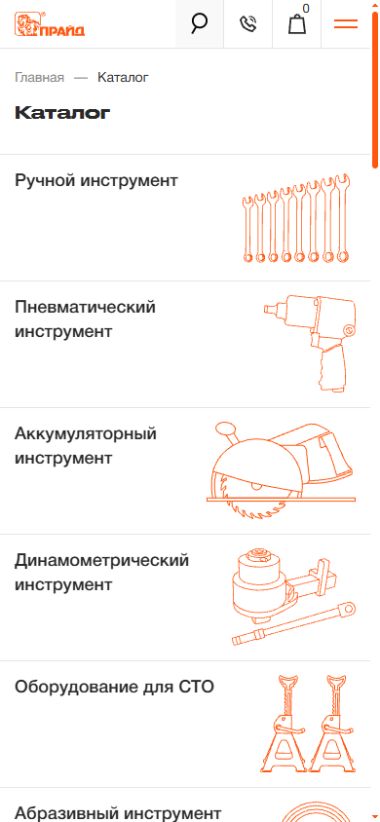
The narrow directory keeps the orange category illustrations and presents them as a vertical sequence. Use a real customer request to test your own mobile entry route. Then demonstrate the account task separately, with the buyer’s permissions and company context included in the test.
What to take from Pride into a returning-buyer journey
For a customer who already knows your range, the portal’s success may begin before login. Clear categories, recognisable product references and accessible technical information can help them arrive at the account step with a precise intention. Review the route from a colleague’s product note to the relevant item. If your buyers use their own item codes, investigate how those references will map to your catalogue.
A returning customer also needs to understand what an old order represents today. Use a previous purchase as a starting point for a demonstration, then introduce an item that has changed pack size or availability. The customer should see what has been carried forward and what requires a fresh decision. Define that behaviour in the brief before committing to a prominent reorder button.
Pride’s published account guidance gives a useful prompt for discussing spreadsheet-based ordering. In your own business, collect a typical customer file and identify the meanings of each column. Ask what should happen when one reference is unknown, a quantity is invalid or the account has several delivery locations. The experience should help the buyer resolve those rows without losing the entries that were already correct.
Technical documents deserve the same care as commercial details. A customer may need to send an instruction file to a colleague who has never visited your website. Keep the item identity and document context understandable beyond the original screen. Assign responsibility for replacing outdated files and deciding what remains available for products that are still in use. The download interface is only one part of that service.
mySchneider gives order documents an identifiable home
Schneider Electric France’s public document-retrieval guide is a useful task reference. Published in 2022 and updated in January 2026, it explains where to find invoices, delivery notes and order acknowledgements. Its original screenshots contain historical test-order data, including 2019 dates. We have reviewed the published guide, with no access to a private customer account.
The first screenshot gives order work a named route in the main navigation. That small decision helps someone return to a task they already understand. In your own portal, ask a customer where they would go to find the document for an existing order.

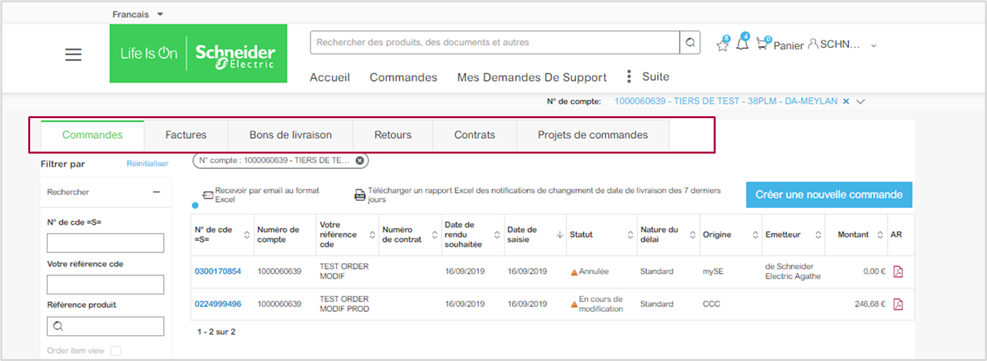
The tab group puts invoices and delivery documents alongside orders and related commercial work. Their familiar names make the destination easier to explain. Review your own document labels with the account team and a buyer, then connect each file to information they can recognise.
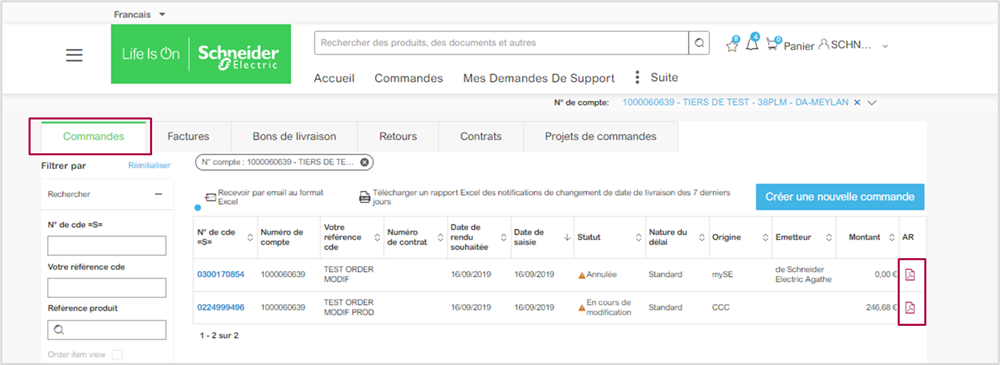
The final view associates an acknowledgement icon with a specific order row. That is a useful handover question for your own project: can the buyer identify which order a file belongs to before sending it to a colleague? Demonstrate the association with your agreed test data.
What to take from mySchneider into a document journey
This reference is useful because it makes a narrow task discussable. The customer enters an order area, identifies the relevant record and follows a document action associated with it. For your own portal, choose one frequent document request and describe the question behind it. That might be an invoice needed for a payment run or an acknowledgement needed to confirm what was accepted.
Try the journey with several records that look similar. Use different dates, customer references and delivery destinations. Ask a finance user to identify the right document without relying on a salesperson’s explanation. Their hesitation will reveal whether the table needs stronger identification, a useful filter or a more descriptive action. The purpose of the exercise is to prevent a plausible download from becoming the wrong download.
Include an unavailable document in the demonstration. Perhaps the order has not reached the required stage or the document service is temporarily delayed. Decide what the customer should understand and what they can do next. A clear status, a meaningful explanation and a contextual help route will be more useful than an icon that appears to do nothing.
Finally, review the downloaded material in your own implementation. Check that its identity and contents match the account context, and that a customer can recognise it later among their files. The public tutorial supplies an interface reference; your project still needs verification of document content, access permissions and the business process that produces each file.
Compare the examples by the customer job they illuminate
These references work well together because they illuminate different parts of a customer relationship. OSQ Group provides an expressive view of public discovery and a proposed client workspace. Pride provides a technical catalogue and documented routes for existing buyers. The mySchneider tutorial narrows the view to finding commercial documents. Use that difference to build a richer brief instead of choosing a winner from three screenshots.
For each reference, record the lesson you want to investigate and the evidence you still need from your own implementation. With OSQ Group, that may be the relationship between brand presentation and account navigation. With Pride, it may be product identification and a repeat-order starting point. With mySchneider, it may be the link between an order row and the document a customer expects.
Your comparison should separate visual clarity from operational completeness. A composition can show a coherent hierarchy. A public help page can describe a supplier’s intended process. A working demonstration can reveal how your configured system handles a specific situation. All three are useful, and each supports a different decision. Keep the evidence attached to the decision it can reasonably inform.
It also helps to compare one normal situation with one awkward situation. A known item with a valid quantity will usually make a demonstration look smooth. A discontinued reference or an account with multiple branches will expose different questions. Choose the awkward situation from actual customer conversations so the exercise remains relevant to your business.
For the visual direction of the wider website, our best B2B ecommerce website examples for 2027 provide additional references. For the priorities behind the experience, the B2B ecommerce trends for 2027 article connects design choices with the work buyers and commercial teams need to complete.
Build the 2027 portal brief around five decisions
1 Decide whose working day the first release will improve
Choose the customer roles you will serve first and write down the recurring work they currently bring to your team. Use a short set of conversations with people who do that work, rather than asking every customer what features they would like. Have them describe the last occasion they needed an answer, where they looked and what information they had available.
Different roles may need different paths through the same account. A finance colleague might search by invoice number, while a buyer starts with a purchase-order reference. A branch manager may know the destination and expected delivery date. Keep those differences visible when reviewing navigation and search. A single internal label will not always match the language of every person using the portal.
Give the first release a concrete purpose. For example, make it possible for approved customers to find the documents associated with their orders and contact support with that context intact. Define what a successful task looks like and where help remains necessary. You can expand the service from a stable starting point once actual use shows what customers need next.
2 Define the account context and who may act within it
A B2B account can represent several people, companies or locations. Map those relationships before designing the account switcher. Decide how a user knows which organisation is active and how a change affects prices, records and available actions. Include that context in demonstrations so a visually polished page cannot conceal an ambiguous commercial relationship.
Consider the colleague who should retrieve documents but should not submit orders. Then consider a buyer who prepares a request that someone else approves. Define the responsibilities in terms your team can maintain, and ask the proposed implementation to demonstrate them with separate sample users. Avoid treating a role label in a design file as proof that the underlying access rules are complete.
Document how staff changes will be handled after launch. Someone needs to own invitations, departures, account relationships and questions about access. Include the support route visible to a customer who cannot reach the expected workspace. The experience of managing an account will affect the portal’s usefulness long after the initial interface has been approved.
3 Agree which system owns each commercial answer
List the information a customer will rely on: product identity, units, prices, availability, order status and document links. For each item, name the business owner and the system that supplies the answer. Then define how the portal should behave when the answer is delayed, unavailable or inconsistent. The design team needs that information to write credible messages and show useful states.
Use a sample product to explore the unit question in detail. A buyer may request individual pieces while the supplier sells packs, or the previous order may use a different commercial unit. Write down the meaning of the quantity shown at each stage. Carry that meaning through the review, confirmation and resulting document. A neat quantity control cannot settle an unresolved unit rule.
Order status deserves equally precise language. Ask your commercial team what each stage means to a customer and what action is possible at that stage. A customer should be able to distinguish an accepted request from a confirmed delivery commitment. Where information depends on another system, the interface needs to reflect the level of certainty your business can actually provide.
4 Design the complete task and its recovery route
Write a short task script with a starting situation, relevant data and a clear finish. For a document journey, the finish might be identifying and downloading the correct invoice. For a quote request, it might be sending a complete request and understanding when a response is expected. Include what the customer sees after the action so the experience does not end at an unexplained success message.
Add one realistic failure to each script. A file may contain an unknown product reference. A required document may be unavailable. A customer may discover they are working in the wrong branch. Review whether the interface explains the situation, preserves useful work and gives an appropriate next step. Customers should be able to recover without reconstructing the entire task in an email.
Make the support handover practical. Decide which details a customer can share safely and which context your team needs to investigate. Link the request to the relevant commercial record where your implementation allows it. The person answering should be able to understand the issue without asking the customer to repeat every step they have already taken.
5 Give adoption and maintenance a place in the release plan
A portal needs an introduction that explains what customers can accomplish. Choose one useful task for the initial invitation and make the route to it clear. Prepare the commercial team to answer the questions that arise during that first use. A short, relevant explanation can do more for adoption than a tour of every control on the dashboard.
Plan ownership for catalogue information, help material, documents and account administration. Give each responsibility a named home and an agreed route for reporting problems. Include those owners in the final review so the experience can remain accurate after the project team moves on. A polished launch is the beginning of an ongoing customer service.
Measure the journeys you chose to improve. Useful observations include whether customers complete the task, where they ask for help and whether the same questions continue to reach your team. Compare like-for-like situations and record relevant changes in the service. Use the evidence to decide the next improvement rather than expanding the dashboard because an additional widget is available.
Review mobile as a working situation of its own
The mobile compositions in this selection are useful visual references, but your project needs its own account-task review on a narrow screen. Choose a situation that makes sense away from a desk. A site manager might need to identify a delivery or a buyer may need to check a reference sent by a colleague. Start with the information they actually have in that situation.
Dense commercial tables require deliberate choices. Decide which information makes a row identifiable, which action must remain obvious and how the customer can reach additional details. Follow the full task through the small-screen view, including filters, account context and the return path. A table that fits inside the page may still demand more interpretation than the user can reasonably manage.
Check the handoff to documents and support as well. A downloaded file, an account change or a help request should leave the customer able to continue with confidence. Use real content from the proposed configuration and observe where the customer pauses. The aim is a workable journey in that setting, with an explanation whenever the service requires a different step.
Bring a realistic demonstration brief to your implementation partner
Prepare a small, agreed set of sample information that represents your business without exposing private customer data. Include an account, a colleague with different responsibilities, a familiar product, a previous order and a commercial document. Add one exception taken from a recurring support question. This gives each proposed implementation a meaningful situation to respond to.
Ask the partner to explain which parts of the journey are standard, which depend on configuration and which require integration or custom development. Keep that distinction attached to the screens you review. You can then discuss the cost and ownership of a particular behaviour with more precision than a general promise that the platform supports customer portals.
Finish the review with the people who will operate the service. Have the commercial, finance and support teams explain what happens when the customer needs help. Capture unresolved rules before approving the experience for build. Our guide to the first tasks to automate in a B2B self-service portal can help you choose a manageable starting scope.
Frequently asked questions about B2B self service portals
What is a B2B self service portal?
A B2B self service portal is a customer workspace for an existing business relationship. Depending on the configuration, it can let approved users find commercial documents, check orders, prepare requests or manage recurring purchases. Its useful scope depends on the customer’s responsibilities and the information the supplier can provide reliably.
Which B2B portal example should we use for a 2027 project?
Choose a reference for the customer job you need to improve. OSQ Group is useful for discussing continuity between product discovery and a client workspace. Pride supplies catalogue and returning-buyer references. The mySchneider tutorial shows a documented commercial-document route. Use your own working demonstration to validate the behaviour you intend to implement.
Should a customer portal include online ordering?
Online ordering is a useful option when customers, commercial rules and supporting systems are ready for it. A first release can also concentrate on documents, order visibility or complete quote requests. Select the tasks that address recurring customer work and define what your team can support before expanding the scope.
How can we evaluate a portal before building it?
Prepare realistic task scripts with sample account, product and order information. Review one normal situation and one relevant exception for each priority journey. Ask how the proposed implementation supplies its answers, handles access and recovers from problems. Compare the demonstrated configuration with your brief and record any unresolved business rules.
How should we assess a portal on mobile?
Choose a useful customer task that occurs away from a desk and follow it with representative content on a narrow screen. Check account context, record identification, actions and the route to help. Review the complete journey, including documents or confirmation, rather than approving mobile suitability from a landing-page composition alone.
Make the next customer task easier to finish
The strongest portal brief starts with a specific working situation and a clear answer about what the customer should be able to accomplish. These three references provide visual and practical material for that conversation. Bring the relevant lessons into your own catalogue, account relationships and commercial rules, then verify them in the configuration you plan to deliver.
If you are planning a customer portal for 2027, talk to CODE B2B Commerce about the journeys that currently consume your customers’ and your team’s time. We can help turn those priorities into a focused experience, a realistic integration scope and a reviewable plan for the first release.